Sulekha · Forms & signing
Fill it in, sign it, send it back
The everyday half of a PDF program: forms that say they are forms, a signature drawn once and placed in a tap, and printing that puts on paper what was on the screen.
A form that says it is one
A form rarely shows where to write: the boxes are the thinnest of rules or nothing at all, and a menu looks exactly like a text field. So the fillable parts are washed pale blue, and a field with a list behind it carries a small triangle. Read-only fields are left plain.
- A tap does what the field asks: a text box takes a caret, a checkbox ticks, a radio button chooses, a menu offers its choices.
- Tab and Return finish a field; in a multi-line one, Return makes a line and Ctrl+Return finishes.
- Saving writes the values into the file, and reopening has them. The blue wash is left out of prints and flattened copies.
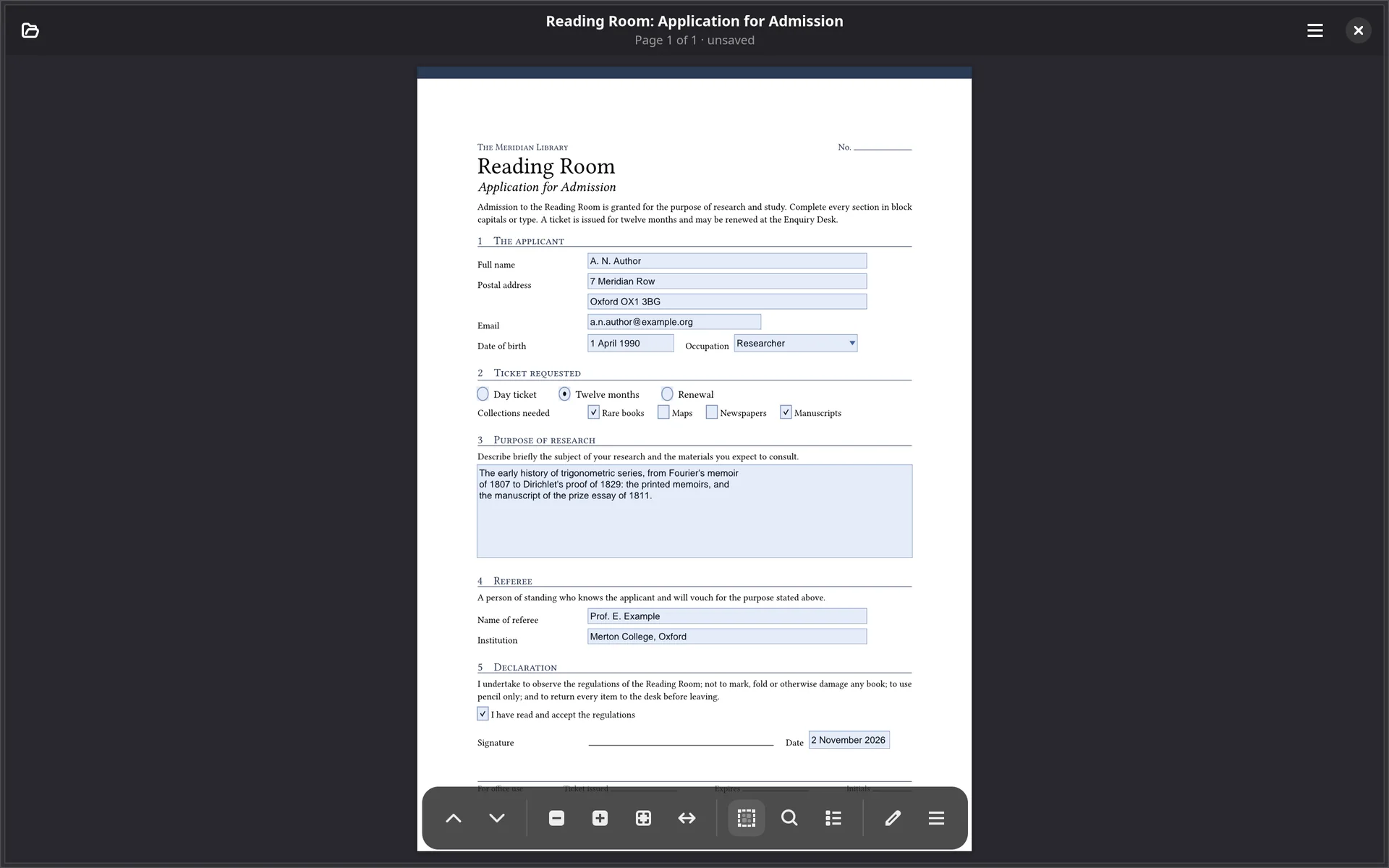
A form’s own JavaScript is not run: running code out of a document is not something Sulekha does. A field with a formatting script shows its value plainly, and a calculated total does not recalculate.
Sign once, then tap to place
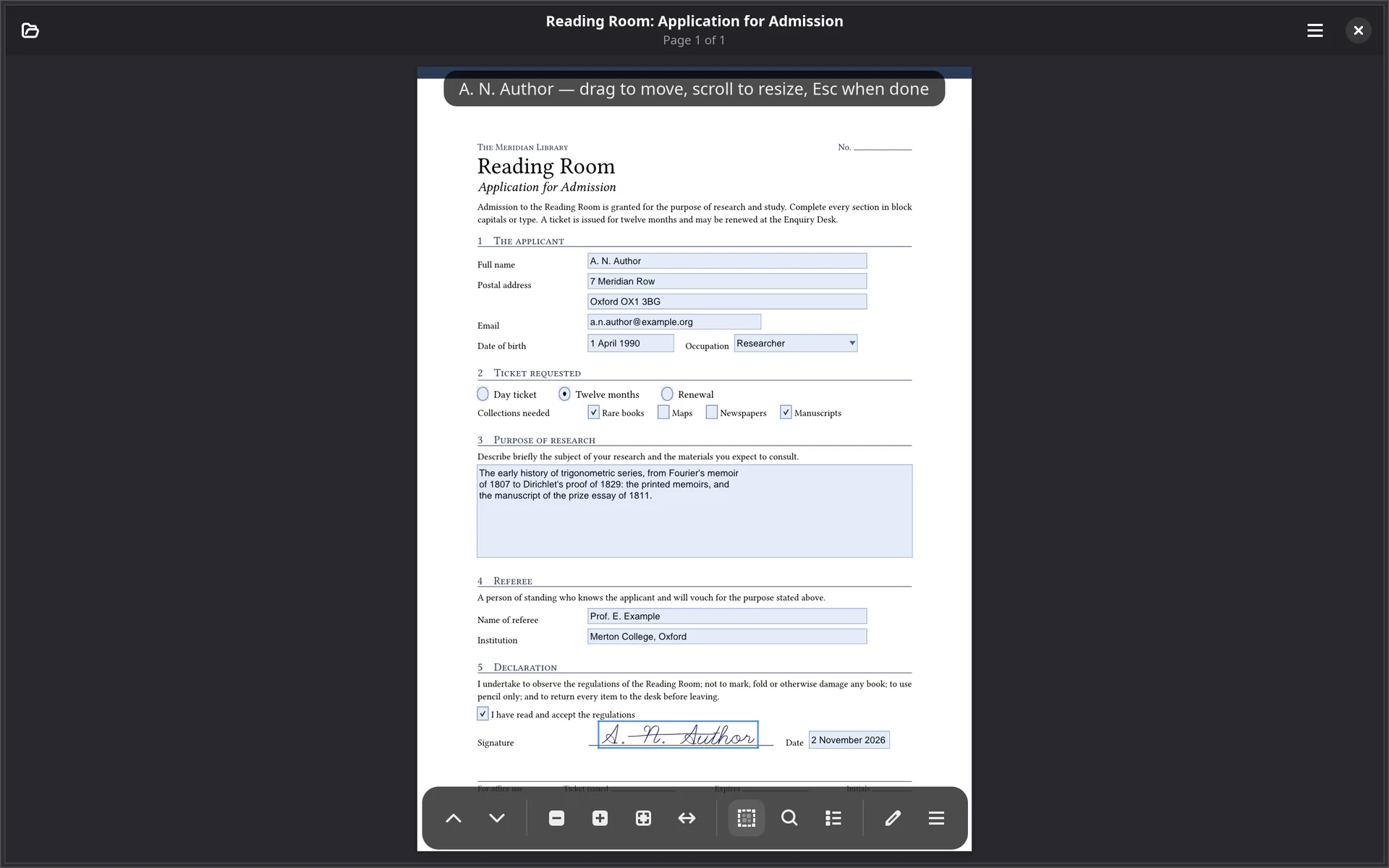
Signatures… opens the library: sign once in the pad, give it a name, and
from then on tap the page wherever it should go. sulekha --sign=Name file.pdf
skips the list and arms it straight away.
- A placement stays adjustable until you settle it: drag to move, scroll to resize, Return or a tap elsewhere to keep it.
- It stays armed, so a form that needs initialling three times takes three taps, and the size you settled on is the size of the next one.
- A banner says what is armed and how to stop, because a mode you cannot see is a mode you cannot leave.
- A placed signature is ordinary ink: erase it, undo it as one, save it. Saving in place keeps an existing digital signature intact.
Print with the ink on it
Ctrl+P flattens the document first, so what comes out of the tray is what was on the screen, notes and all.
- The paper is turned to suit the document. A landscape deck prints landscape without anyone saying so; the paper size stays yours to choose.
- The preview opens in Sulekha when the desktop has no previewer of its own, so the button never does nothing.
- Flatten a Copy… writes a file with every annotation baked into the page, for readers that ignore annotations. This one comes with a licence.
Locked documents
A password-protected PDF asks for its password when it opens, and asks again if the password was wrong, rather than reporting a failure.
Filling in forms, saving them and printing are free in every tier, for good, so that Sulekha can be somebody’s everyday PDF program. Signatures and stamps come with a licence.